
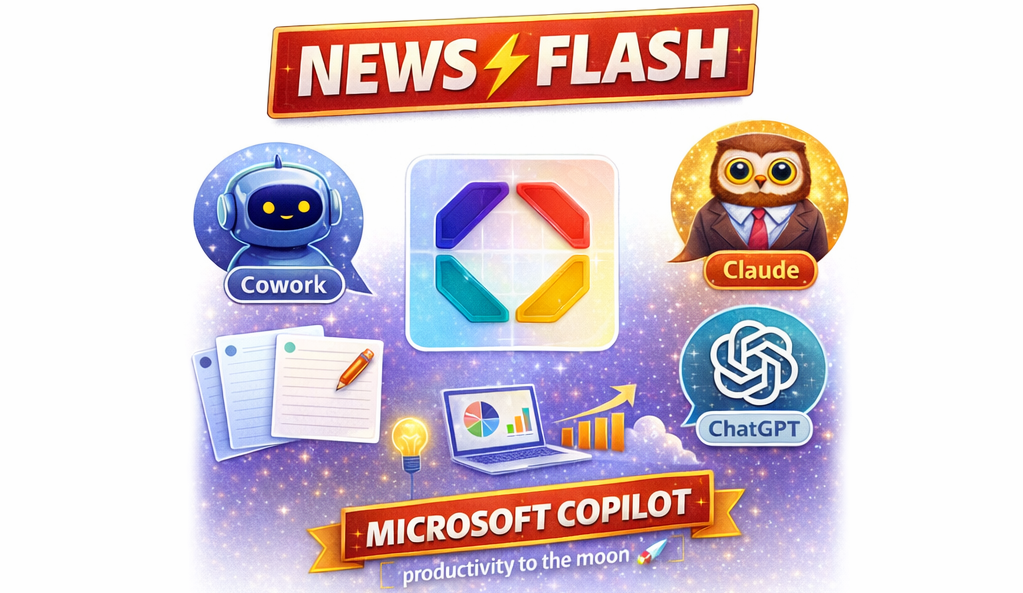
Copilot NEWSFLASH: Claude AND ChatGPT now Included
You no longer have to pick a side in the AI race. Microsoft just brought the best of all worlds inside your Microsoft 365 tenant — safely.
If you’ve been scrolling LinkedIn or the news lately, you’ve probably seen the AI tug-of-war. ChatGPT here, Claude there, Gemini somewhere else. Lots of small business owners I speak to are quietly using one or two of these on the side — pasting in client emails, draft proposals, even financial details — hoping nothing leaks.
Here’s the good news: you don’t have to take that risk anymore.
Microsoft has just bundled Anthropic’s Claude and OpenAI’s ChatGPT models together inside Microsoft 365 Copilot. One license. One safe place. The two best-known AI brands working side by side, right where your work already lives — in Outlook, Word, Excel, Teams and SharePoint.
What’s actually new?
Microsoft has historically powered Copilot using OpenAI (the makers of ChatGPT). That’s still there. But now you also get access to Claude — Anthropic’s AI, widely regarded as one of the best in the world for writing, reasoning and document work — inside the same Copilot experience.
On top of that, Microsoft has launched Copilot Cowork, a new way of working with AI that goes beyond simple chat. Cowork can:
- Run tasks in the background while you get on with your day
- Draft documents, decks and spreadsheets across your Microsoft 365 apps
- Pull information from your real business data (your emails, files, meetings)
- Use Claude or ChatGPT under the hood, depending on the job
So instead of juggling three or four AI tools, you stay in Microsoft 365 and let Copilot pick the right brain for the right task.
Why this matters for your business
1. Enterprise Data Protection (EDP) — the part most people miss
This is the bit that should grab every business owner’s attention.
 When your team uses the free or personal versions of ChatGPT, Claude or other AI tools, the information they paste in often sits outside your control. Terms can change. Data can be used to train future models. There’s very little visibility for you as the business owner.
When you use Copilot inside your Microsoft 365 tenant, your prompts and responses are covered by Enterprise Data Protection — the same Microsoft Data Protection Addendum and Product Terms that already cover your email and SharePoint files.
In plain English:
- Your prompts and responses are not used to train the AI models.
- Your data stays within Microsoft’s compliance boundary — the same boundary that already protects your Outlook, Teams and SharePoint content.
- You keep the identity, access and audit controls you already have in Microsoft 365.
- Sensitivity labels, DLP and conditional access still apply.
That’s a very different conversation to “I pasted the client list into a website and hoped for the best.”
2. Better value — two AIs for the price of one platform
Many businesses I talk to are paying for ChatGPT and trialling Claude and looking at Copilot. Three subscriptions. Three logins. Three places your data could end up.
With Copilot, you now get Claude and ChatGPT bundled inside the Microsoft 365 license you’re already paying for. One bill. One vendor relationship. One support path. And the AI is grounded in your business — your emails, your files, your meetings — not a public chatbot guessing from scratch.
3. It works where you already work
You don’t need to learn a new app. Copilot lives inside Outlook, Word, Excel, PowerPoint, Teams and SharePoint. Ask it to summarise a long email thread, draft a proposal from your last meeting transcript, build a sales pivot from last quarter’s spreadsheet, or get you ready for tomorrow’s client meeting. It just works — quietly, in the apps you already open every day.
“But I’m already using Claude / ChatGPT on the side…”
That’s exactly who this announcement is for.
If your team has been quietly using consumer AI tools, you’re not alone. Most small businesses are in the same boat. The honest truth is that those tools are great — but the wrong place to put your client data, financial details or HR information.
Bringing your AI use back inside Microsoft 365 means you get:
- The same Claude and ChatGPT capability you’ve come to like.
- Without the data risk you’ve been quietly carrying.
- Plus AI that actually knows your business, because it can (with permission) read your own files, calendars and emails.
It’s the difference between borrowing a brilliant stranger off the internet, and having a brilliant assistant who already knows your business sitting at the next desk.
What should you do now?
If you’re a Microsoft 365 customer, here’s the simple action list:
- Don’t panic-buy Copilot licenses for everyone. Start with the people who write, analyse or coordinate the most — they’ll get the biggest lift.
- Stop pasting business data into free AI tools. Make Copilot the default and give your team a safer place to land.
- Get your foundations right first — identity, sensitivity labels, sharing settings, DLP. Copilot is only as safe as the tenant it sits in.
- Talk to us before you license. We don’t sell Microsoft licenses, so the advice you get from Solve Business is genuinely independent. We’ll tell you whether Copilot is the right step for your business — not just the easiest sale.
Work with your IT support, there’s a license bundle that combines Microsoft 365 Business Premium and Microsoft 365 Copilot and saves around 20%
The “Microsoft 365 Business Premium and Microsoft 365 Copilot Business” bundle is the same feature for feature as combining Microsoft 365 Business Premium and Microsoft 365 Copilot, just cheaper.
Here’s how Solve Business Services has helped customers buying their licenses direct from Microsoft:
Based on prices in Australia in $AUD (as at May 11, 2026) businesses are paying around $34/m per user for “Microsoft 365 Business Premium” on an annual commitment, that’s what most have now. Adding a standalone Microsoft 365 Copilot license costs around $47/m per user on an annual commitment (how most are doing it).
The “Microsoft 365 Business Premium and Microsoft 365 Copilot Business” bundle includes Microsoft 365 Business Premium and Microsoft 365 Copilot Business.
- “Microsoft 365 Copilot Business” is the same as “Microsoft 365 Copilot” which you have now but named differently for branding.
- The bundle costs $67.62/m per user (still on annual commitment) but it saves you about 20%
- This means it’s only about $33/m per user to be licensed for Copilot – Amazing Value!
To get started with the bundle the business first purchases the bundle licenses and then we raise a support ticket with Microsoft for help with the license adjustments. We’ve done this in the past and it’s quick and frictionless.
The bottom line
The AI conversation just got a lot simpler for Australian small businesses. Claude and ChatGPT are now bundled inside Copilot, your data stays protected by Microsoft’s Enterprise Data Protection, and the whole thing runs in the apps your team already uses every day.
You don’t have to choose between “powerful AI” and “safe with our data” anymore. You can have both — and you can have it where your work already lives.
If you’d like a no-obligation chat about whether Copilot is the right move for your business, get in touch with us (opens in new window) or call 03 9005 4680. We’ll give you a straight answer.
Use AI to enhance your productivity and make more profit — securely, anywhere, anytime.