
Secure Your Email with DKIM and DMARC
Improve Email Security, Protect Your Brand
Email remains one of the most important communication tools used by businesses today. We rely on it for customer communication, invoices, contracts, service requests, marketing campaigns and countless other business processes.
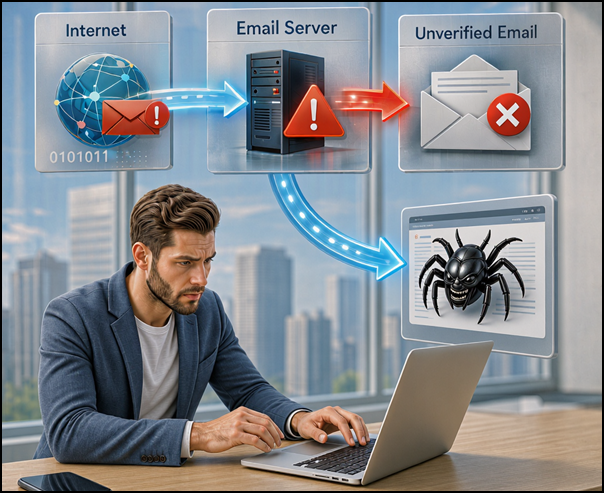
What many business owners don’t realise is that email was originally designed in a very different era. When email standards were developed decades ago, the internet was a far smaller and more trusted environment. Security and identity verification were not key design considerations. As a result, criminals can often create emails that appear to come from legitimate businesses. This technique, known as email spoofing, is regularly used in phishing attacks, invoice fraud, business email compromise (BEC) attacks and other scams.
Fortunately, modern email authentication technologies such as DKIM and DMARC help address this challenge and significantly improve the security and trustworthiness of your email communications.
The Email Security Problem
When an email arrives in your inbox, you naturally assume it came from the sender shown in the “From” field.
Unfortunately, traditional email systems were never designed to verify this properly.
Think of it like receiving a physical letter where anyone could write whatever return address they wanted on the envelope. Without additional checks, there was no way to verify whether the sender was genuine.
Over time, the internet community developed several standards to improve email trust:
- SPF (Sender Policy Framework) identifies which systems are authorised to send email on behalf of a domain.
- DKIM (DomainKeys Identified Mail) digitally signs messages to prove they haven’t been altered.
- DMARC (Domain-based Message Authentication, Reporting and Conformance) combines SPF and DKIM results and tells receiving systems what to do with suspicious messages.
Today, these technologies form the foundation of modern email security and are recommended by Microsoft and other major email providers worldwide.
So while DMARC is a very effective tool in preventing Business Email Compromise but it is not a complete solution on its own. Modern security guidance consistently recommends DMARC as one layer in a broader anti-BEC strategy.
DMARC helps prevent attackers from:
- Spoofing your domain name
- Sending emails that appear to come from your organisation
- Impersonating executives using your exact email domain
- Launching phishing attacks using fraudulent messages that claim to be from your business
This article is focussed on DMARC because we need to start somewhere but the truth is that DMARC, SPF and DKIM tools need to be part of a wider overall solution, security in depth as they say… For organisations such as the Microsoft 365 tenants you manage, DMARC should be combined with:
- DMARC enforcement (p=reject)
- Correct SPF configuration
- DKIM signing for all authorised senders
- Multi-factor authentication (MFA)
- Conditional Access policies
- Defender for Office 365’s anti-phishing, anti-spam, anti-malware and safe attachment policies
- User awareness training
- Secondary verification of payment and banking changes
- Monitoring of lookalike domains (microsoft.com is not rnicrosoft.com)
- Mailbox auditing and anomaly detection
- Effective Email Quarantine policies
Why Securing Email Is Difficult
Most businesses no longer send email from a single system. In addition to Microsoft 365, organisations may also use:
- CRM platforms
- Marketing systems such as Mailchimp
- Accounting software
- Help desk systems
- Multifunction printers and scanners
- Electronic signing platforms
- Industry-specific software
Each of these platforms may send email on behalf of the business and the challenge is ensuring every legitimate sender is properly authorised while blocking unauthorised senders from impersonating your domain.
Without careful planning, introducing stricter email security controls can accidentally impact legitimate business communications. This is why DKIM and DMARC projects should be approached as a business initiative rather than simply a technical change.
What Happens If You Don’t Implement DKIM and DMARC?
Businesses that don’t protect their domains face several risks.
Brand Impersonation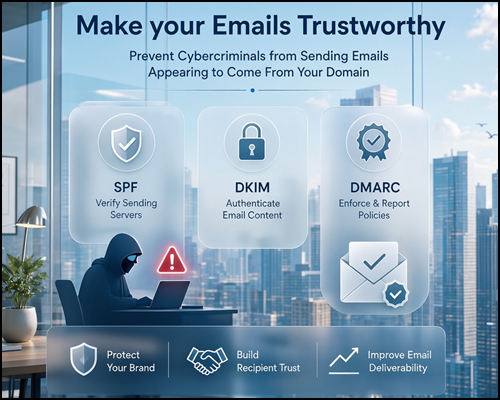
DMARC can prevent Cybercriminals sending emails appearing to come from your domain, without this your brand is open to impersonation and that means your Brand can be tarnished and you put additional risk onto your Customers, Suppliers, Business Partners and even your staff.
Recipients often trust emails because they appear to come from a familiar organisation and DMARC allows the systems to automatically detect issues with dodgy emails.
Increased Phishing Risk
Attackers frequently impersonate trusted businesses to:
- Steal credentials
- Trick users into making payments
- Distribute malware
- Gather sensitive information
Reduced Trust
If customers receive fraudulent emails using your domain name, confidence in your organisation can quickly decline so there’s real return on your investment in enhancing your email security.
Deliverability Issues
Many email providers increasingly favour authenticated email. Domains with poor authentication configurations may experience:
- Increased spam filtering
- Reduced inbox placement
- Lower email marketing effectiveness
What is DKIM?
DomainKeys Identified Mail (DKIM) is an email authentication technology that digitally signs outgoing messages. Microsoft describes DKIM as a method that helps validate mail sent from your organisation and helps prevent spoofed senders from being used in phishing and business email compromise attacks.
When DKIM is enabled:
- Your mail system digitally signs emails before sending.
- The signature is linked to your domain.
- The recipient’s email system checks the signature.
- If the signature is valid, the recipient can be confident the email has not been altered during transit.
In simple terms, DKIM helps prove that an email is genuinely associated with your domain.
What is DMARC?
DMARC (Domain-based Message Authentication, Reporting and Conformance) builds on SPF and DKIM.
Microsoft states that DMARC is used to validate mail sent from your organisation and helps prevent spoofed senders used in phishing and other attacks.
DMARC performs two key functions; validation & policy enforcement.
DMARC Validation checks whether the email’s SPF passes and/or DKIM passes and whether those results align correctly with the sender domain.
If neither SPF nor DKIM pass correctly, the email fails DMARC validation.
DMARC Policy Enforcement happens when DMARC tells receiving mail systems how to handle messages that fail validation and this is where organisations can gradually strengthen their protection.
How DKIM and DMARC Work Together
A simplified message flow looks like this:
- A sender transmits an email claiming to come from your domain.
- The receiving mail system checks:
- SPF records
- DKIM signatures
- DMARC policy
- DMARC evaluates the results.
- The receiving system follows your published DMARC policy.
If the message passes authentication, it is normally delivered.
If it fails authentication, the DMARC policy determines the outcome.
Understanding DMARC Policies
DMARC policies are published in your domain’s DNS records.
p=none (Monitoring Mode)
This is the starting point.
Emails that fail DMARC are still delivered.
The purpose is to:
- Collect reports
- Identify legitimate sending systems
- Understand your email ecosystem
This setting is useful during planning but does not actively stop spoofing attacks.
p=quarantine
Messages that fail DMARC are typically:
- Sent to junk email
- Sent to quarantine systems
- Flagged as suspicious
This provides stronger protection while allowing administrators to monitor the impact.
p=reject
Messages that fail DMARC are rejected by the receiving system.
The message may never reach the intended recipient.
This provides the strongest protection against impersonation and spoofing attacks.
Where Are DKIM and DMARC Configured?
DKIM and DMARC are implemented through your domain’s DNS (Domain Name System) records.
The good news is that:
- DNS records themselves usually cost nothing.
- Microsoft 365 supports DKIM and DMARC.
- Most DNS providers support the required record types.
Why Businesses Must Work Closely with IT
Implementing DMARC successfully is not just a technical task – it requires business awareness and governance.
Many businesses add new platforms over time:
- Marketing software
- Event management tools
- CRM systems
- Accounting applications
- Help desk solutions
If these services send email using your domain and are not properly authorised, they may fail DMARC authentication.
DMARC Policy Options are None, Quarantined and Reject. Reject is what you should be aiming for.
- None
With a policy of None takes no action and offers no benefit other than being able to say you have a policy in place and possibly adding some reporting - Quarantine
Email may go to junk or quarantine depending on the email server settings - Reject
Email may be blocked completely
The business should always engage IT before introducing a new platform that sends email on behalf of the business.
Doing so allows that platform to be properly authorised and prevents unexpected email delivery issues.
How Solve Business Can Help
Implementing DKIM and DMARC is an important step towards protecting your business, customers and reputation.
While the DNS changes themselves are relatively straightforward, planning, monitoring and ongoing management are often where the real work occurs.
Through our email security partners and monitoring platforms, we can assist with:
- DKIM implementation
- DMARC deployment
- DMARC reporting and analysis
- Ongoing monitoring
- Identifying unknown email senders
- Progressive migration from p=none to p=quarantine and ultimately p=reject
- Improving email deliverability and domain reputation
Final Thoughts
Email remains a critical business tool, but it was never designed with today’s threat landscape in mind.
DKIM and DMARC provide organisations with a practical way to protect their domain, improve trust, reduce spoofing risk and strengthen email security.
For many businesses, the journey starts with simple monitoring. Over time, with the right planning and oversight, those controls can be strengthened to actively reject malicious attempts to impersonate your brand.
If you don’t know whether DKIM and DMARC are configured for your organisation, now is a great time to review your email security posture. Your customers, suppliers and staff are already trusting your email – make sure the internet can trust it too.