

What is “OTP” or “TOTP” ?
TOTP is short for Time-based One-Time Password. These are similar to OTP (One-Time Passwords) except they time out and change every so often, normally every 30 seconds.
Mobile Authenticator Apps like Google’s Authenticator and Microsoft’s Authenticator are apps that hold 2FA or MFA accounts and generate TOTP codes to aid in secure logins to sites and apps. We’ve all setup these (or should have) and they generally require you to scan a QR code or enter a long string of numbers to add the TOTP for the account into the App.
Using TOTP codes with LastPass
LastPass is a password manager, there are many around but this article is focussed on LastPass Business which has the ability to connect the TOTP for your account to securely log you in and provide you the TOTP code without having to reach for your phone to open an Authenticator App.
This also makes it easy to share access to a commonly used website with the one set of credentials, in other words for more than one user to share one set of credentials and 2FA.
 Before the security guys all pile in here and scream that this is a really bad idea… I want to clarify that I agree with the sentiment in principle.In the real world it’s common place for people to do this daily to complete their tasks, and having 2FA is better than not having it. Ultimately, the responsibility lies with the person sharing the password within LastPass. so it should come as no surprise that Training and Eductation is critical to success.
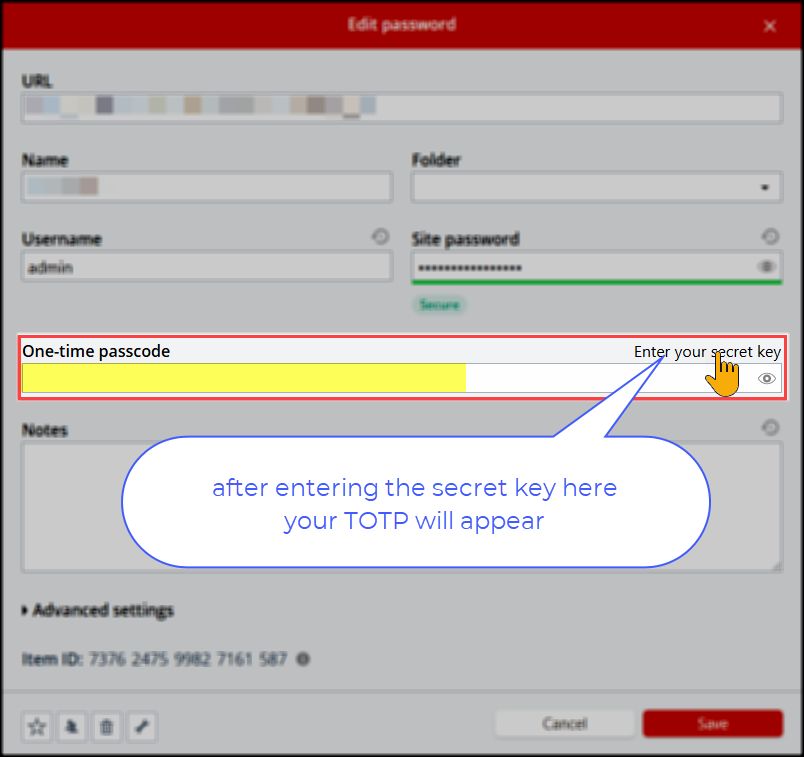
When adding the site password to LastPass or updating an existing one you need to first enter the Secret Code to enable the TOTP to be generated. If you are the one setting the TOTP we recommend you also use your Authenticator App to scan the QR code so you have that as a backup.
Here we are showing a LastPass password before the secret has been entered:
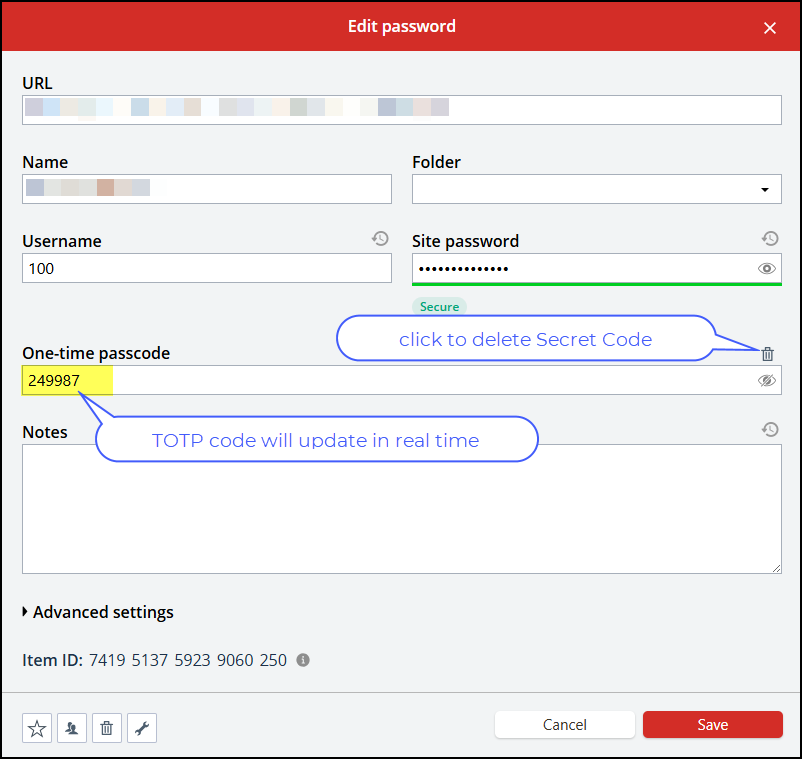
Here we are showing a LastPass password after the secret has been entered, notice the TOTP is now showing.
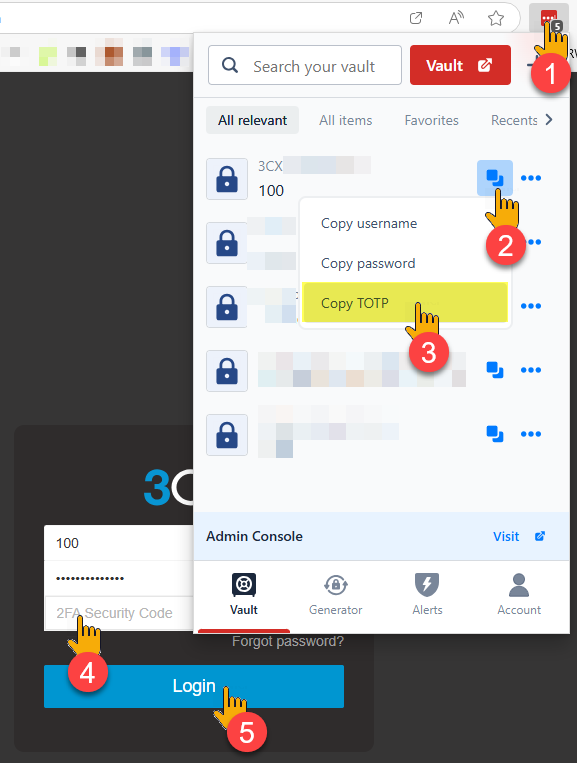
When you are logging in with LastPass you can let it fill the passwords as per normal and if the TOTP doesn’t automatically drop into the relevant box during the login process then you can copy it from the dropdown options… Simply paste this in where required and you will be logging in satisfying the 2FA requirements:
- Click your LastPass Browser Extension
- Drop the list down
- Copy the TOTP
- Paste the TOTP into the 2FA field
- Proceed with your login
What about your Authenticator Apps ?
With the TOTP added to LastPass you no longer require an Authenticator App though we recommend if you have an Authenticator App and you are setting the TOTP codes for the saved password then you should keep your Authenticator App as a backup. Of course if you are using a password shared to you in LastPass then you don’t have that option.
You do still of course need some way to do 2FA to get into your LastPass so for that we still recommend an Authenticator App, we find the Google Authenticator is generally easiest for people to use and it transfers seamlessly when you upgrade your phone.
Remember – when upgrading your phones you should ALWAYS get everything setup on the new phone before wiping or disposing of the old one. We have a post about this here: Getting a new Phone ? | Solve Business
Microsoft Authenticator
 We have always maintained that you should always use the Microsoft Authenticator to protect Microsoft Work or School account Accounts, that’s because the Microsoft Authenticator can be registered against your Microsoft365 Work or School accounts. We don’t recommend setting up the TOTP for your Microsoft Work or School account because you should have the Work or School account setup for Passwordless Signin and for that you require the Microsoft Authenticator App.
Registering your Microsoft Authenticator App on your device essentially means that you are linking your device to your organization’s network or system.
Google Authenticator
 The Googe Authenticator gets connected to a Google Account, these are free. You will need to create one of those, it doesn’t have to be a gmail account, you can use the same email as your work account… This is often the same account you might use on Youtube if you are signing in on Youtube.
Of course you should protect your Google Account with 2FA, every account we have should be protected by 2FA.